Self check-in
Guests finish the guest form and payment on their phone before arrival, and the room key arrives on the day. The legally required guest register fills itself.
HOTEL BLUE
Standard Room 1 Night
¥8,000
Checked in
Checked in
© UnlockOS
The Challenge
- Every arrival is a queue at the desk: passport, form, payment, key — one guest at a time
- Late arrivals need someone on shift just to hand over a key
- The guest register required by the Hotel Business Act is filled in by hand and filed by hand
- No-shows and late cancellations are chased after the fact instead of settled by the policy
How UnlockOS Helps
- Guests finish the guest form, ID details and payment on their phone before they arrive
- The room key reaches the phone on the day of arrival and expires at checkout — nobody has to be there
- The guest register is complete the moment the form is submitted, nationality-aware
- Cancellation penalties and late-checkout surcharges are applied by the policy you set, automatically
Flexible pricing for every scenario
Per night
Day-of-week rates per room type.
Standard: ¥8,000 weekday, ¥12,000 Fri/Sat
Early check-in
Surcharge for arriving before the standard time.
Before 14:00: +¥2,000
Late checkout
Surcharge per hour after the standard time.
After 11:00: +¥1,500 / hour
Cancellation
Percentage by days before arrival.
7+ days 0%, 3–6 days 30%, same day 100%
Seamless experience from start to finish
Create the reservation
From the dashboard, or imported from the booking channel.
Send the check-in link
A day before arrival, by email or LINE.
Fill in the guest form
Passport or ID details, depending on nationality.
Pay
Stripe in advance, or on-site payment if you allow it.
Deliver the key
On the day of arrival. Valid for the whole stay.
Check out
At checkout time the key stops and the stay settles, with any late-checkout surcharge.
Get started in 3 steps
Set the rooms and the policy
Room types with per-night rates by day of week, check-in and checkout times, and a cancellation policy by days before arrival.
Send the check-in link
A day before arrival the guest receives a link by email or LINE: guest form, ID details, payment — in one flow.
Let the key do the rest
Keys are issued when the stay starts and revoked at checkout. Late checkout is surcharged automatically.
Reservation, walk-in or membership — your call
How you take guests is the owner's decision, not the industry's. Mix all three and they still share the same plans and inventory.
By reservation
The normal case: a reservation exists, the link goes out the day before, and the key arrives on the day.
Walk-in
A walk-in guest at the door is handled by the staff app (Frontdesk) or by a walk-in plan on the same system.
Membership
Repeat guests can be members: their details are kept, so the next check-in is a payment and a key.
Built for your workflow
Pre-arrival check-in
The guest completes everything on their phone before arrival. Arrival is a key, not a queue.
Guest form (Hotel Business Act)
Nationality-aware register: passport details for foreign guests, ID verification for domestic guests. Stored with the stay.
Key on the day
QR + PIN delivered on the day of arrival, valid for the stay, revoked at checkout.
Per-night billing
Rates by weekday, Friday, Saturday, Sunday, holiday eve and holiday.
Cancellation policy
Penalty percentages by days before arrival, applied automatically.
Late checkout, automatically
Staying past checkout time adds the surcharge and keeps the key alive until the guest leaves.
Works with your existing tools
Smart locks
KEYVOX is built in; locks with a public cloud API are connected through an adapter.
Stripe payments
Pre-payment and on-site payment, settled automatically.
LINE and email
Check-in links, keys and reminders.
iCal import
Reservations from external channels are imported and keys issued from them.
See whether it works for your space, right now
These open the screens a guest sees. You can run them all the way through — payment and key included.
Every space here is fictional. The pricing and operating patterns come from real conversations with operators.
Payments run in test mode. 4242 4242 4242 4242 / 12/30 / 123. Nothing is ever charged.
 Demo
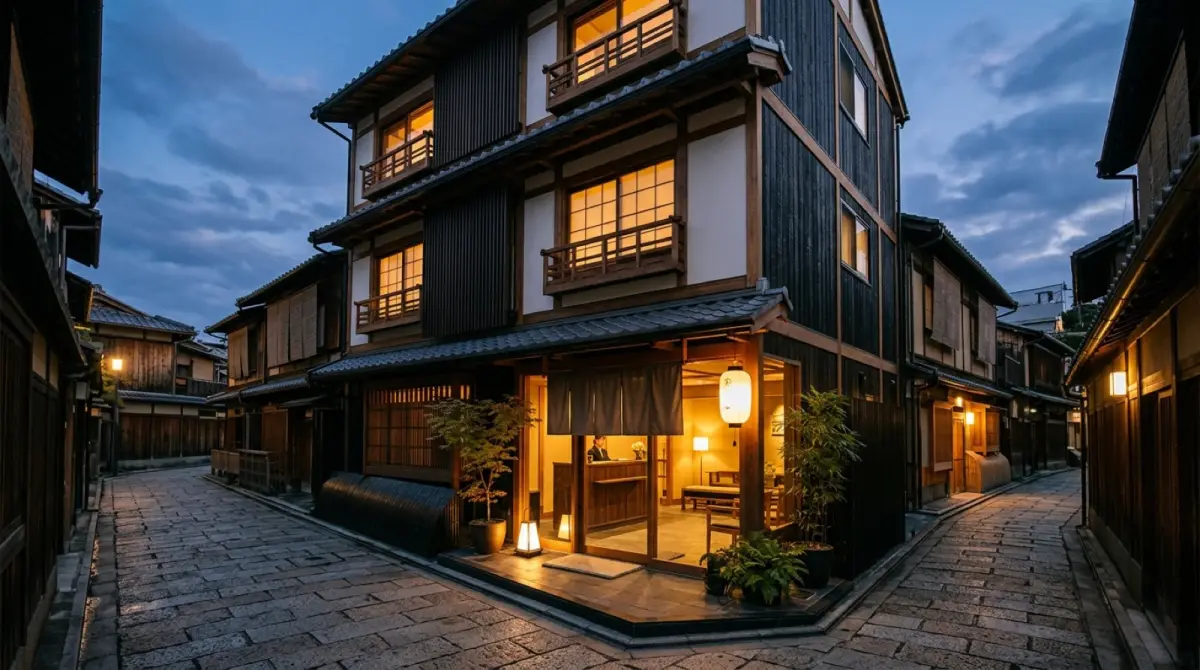
DemoHOTEL AONAGI Kyoto Shijo
Overnight stays and drop-in facilities, one entrance.
- Book one of 32 rooms and receive the room key
- Walk into the public bath for free
- Pay per visit for the fitness room
KEYVOX opens the door. UnlockOS runs the business.
KEYVOX smart locks, gates and lockers are built into UnlockOS. The moment a booking or payment completes, a key only that person can use (PIN, QR or LINE) is delivered, and it expires on its own. Hardware choice, installation and wiring are covered on the KEYVOX side.
Room doors are the KEYVOX side: lock models for guest rooms, installation and the hardware lineup are on the KEYVOX hotel page.
See the KEYVOX page for this industryRun the next site exactly like the first
Built so you can add sites without hiring an IT team.
Open the second site by copying the first
Plans, pricing, opening hours and key rules from the first site are copied to the next one. Nothing is rebuilt from scratch.
Separate permissions for HQ and each site
HQ sees every site; a franchisee or manager sees only their own. When someone leaves, you remove their role — nothing physical to collect.
Revenue and check-ins per site
Compare revenue, check-ins and members per site from HQ. It feeds franchisee support and the next opening decision.

Ready to monetize your space?
Join property owners who automated their operations with UnlockOS.