Climbing gyms
A QR code instead of a membership card. Monthly members and drop-ins through the same door, keys only for people who finished the safety briefing. Built for unstaffed late-night and early-morning hours.
WALL 24
2h session
¥1,800
Checked in
Checked in
© UnlockOS
The Challenge
- Members and drop-in climbers arrive at the same door, but reception treats them as two different jobs
- Someone who skipped the safety briefing can still walk in while staff are belaying or coaching
- Nobody can staff 05:00 or midnight, so the hours people actually want to climb are the hours you are closed
- Membership cards are issued, lost, reissued and collected by hand
How UnlockOS Helps
- One door for everyone: members pass on their plan, drop-ins pay for the session, both on their own phone
- A key is issued only to people whose briefing and waiver are on record — the door enforces it, not a glance
- Unstaffed late-night and early-morning hours become member hours, so the monthly plan is worth more
- No cards: the QR code on the phone is the membership, and it stops working the day someone leaves
Flexible pricing for every scenario
Flat + overtime
A flat opening block, then overtime per unit, capped per visit.
First 2h ¥1,800, then ¥300 / 30 min, cap ¥2,800
Monthly membership
Unlimited entry during the term, including unstaffed hours.
Unlimited ¥9,800 / month
Visit quota
A fixed number of visits per calendar month, reset on the 1st.
4 visits ¥5,600 / month
Rental options
Add-ons chosen at check-in and settled with the session.
Shoes ¥400, chalk ¥200
Seamless experience from start to finish
Finish the safety briefing
Staff mark the climber as briefed after the session and waiver.
Join or buy a session
Pick a monthly plan or a single session on the phone. Rental shoes added if needed.
Issue the key
QR + PIN delivered to the phone. Only briefed climbers receive one.
Climb at 23:00
The door opens for the key. Nobody is at reception.
Settle at exit or closing
Overtime is calculated from the actual time; open sessions settle at closing time.
Get started in 3 steps
Set the price ladder
A flat opening block plus an overtime unit, with a per-visit cap. Add rental shoes and chalk as options the climber picks at check-in.
Gate entry on the briefing
Mark climbers as briefed after the safety session and waiver. Only they can receive a key — including for unstaffed hours.
Open the unstaffed hours
Keys reach the climber's phone at any hour. Open sessions settle themselves at closing time, and you see who is in the gym right now.
Reservation, walk-in or membership — your call
How you take guests is the owner's decision, not the industry's. Mix all three and they still share the same plans and inventory.
By reservation
Sell competition slots or private coaching by time. The key works only for the booked window.
Walk-in
Drop-in climbers buy a session at the door on their phone and get a key on the spot — but only after the briefing is on record.
Membership
Monthly or visit-quota plans cover entry; the briefing flag travels with the member, so unstaffed hours are member-only by design.
Built for your workflow
Members and drop-ins through one door
Monthly members enter on their plan; visitors buy a session. The same QR code, the same door, no second workflow.
Briefing-gated keys
A key is issued only when the safety briefing and waiver are on record. People who skipped it stop at the door.
Flat plus overtime
A 2-hour block at a flat price, then per-30-minute overtime with a daily cap. Long sessions get cheaper per hour without a slot for every start time.
Who is in right now
Entry and exit are recorded, so you know how many people are on the wall during unstaffed hours and who stayed late.
Rental options at check-in
Shoes, chalk and harness rental are picked at check-in and settled with the session.
Class hours closed by declaring them
Kids' school or a competition closes the floor by weekday and time range — no slots to rebuild.
Works with your existing tools
Smart locks
KEYVOX is built in; locks with a public cloud API are connected through an adapter.
Stripe payments
Sessions, memberships and rentals, settled automatically.
LINE
Join, check in and receive the key from LINE, no app to install.
See whether it works for your space, right now
These open the screens a guest sees. You can run them all the way through — payment and key included.
Every space here is fictional. The pricing and operating patterns come from real conversations with operators.
Payments run in test mode. 4242 4242 4242 4242 / 12/30 / 123. Nothing is ever charged.
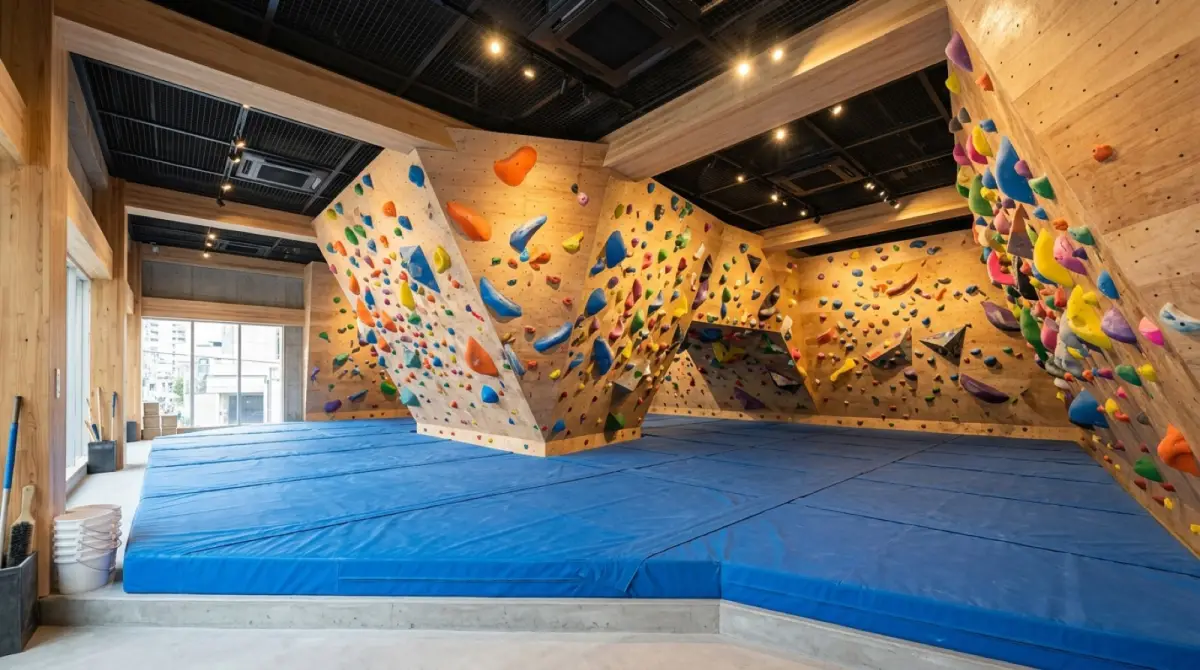 Demo
DemoKOMOREBI Bouldering Gym
Drop-in sessions and monthly passes through the same door.
- Book a session, pay with a test card, get the door key
- Sign up for a 1h / 2h / 3h monthly pass
- Block only the hours a class occupies
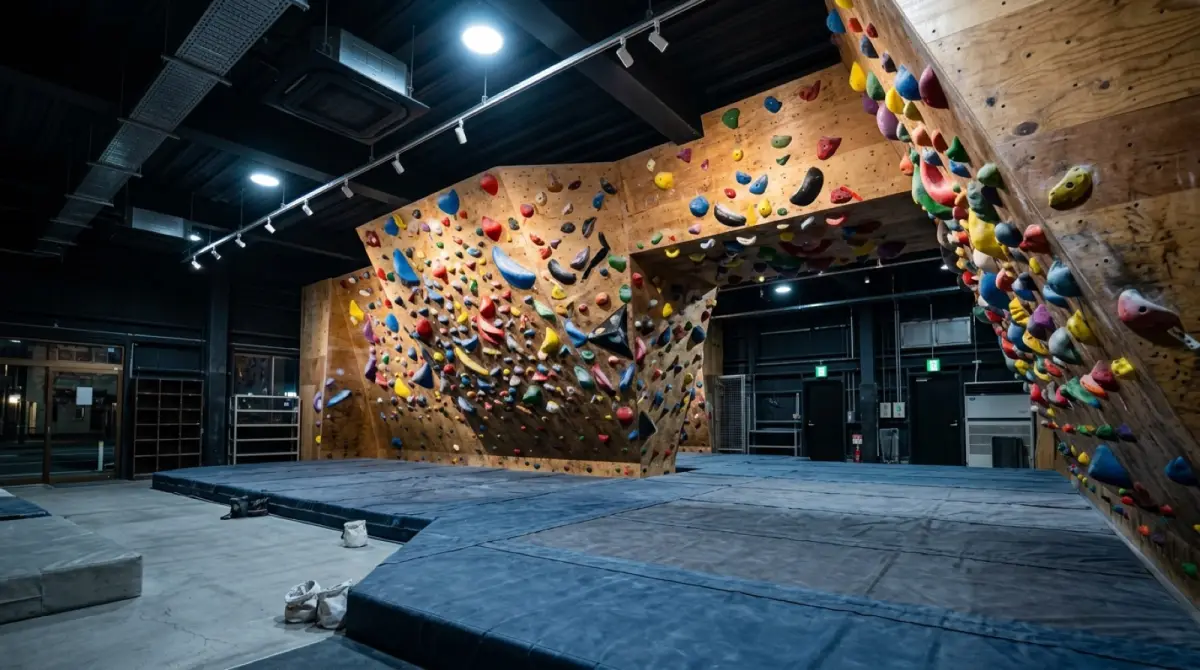 Demo
DemoMEGURO 24H Climbing
Turn up without a booking, pick a pack, walk straight in.
- Pay up front for a 2h / 3h / 1-day pack
- Monthly pass holders enter through the same door
- How an unmanned gym runs with no bookings at all
KEYVOX opens the door. UnlockOS runs the business.
KEYVOX smart locks, gates and lockers are built into UnlockOS. The moment a booking or payment completes, a key only that person can use (PIN, QR or LINE) is delivered, and it expires on its own. Hardware choice, installation and wiring are covered on the KEYVOX side.
Warehouse and factory conversions usually keep the original door or a side entrance next to the shutter; KEYVOX retrofits those without touching the frame.
See the KEYVOX page for this industryRun the next site exactly like the first
Built so you can add sites without hiring an IT team.
Open the second site by copying the first
Plans, pricing, opening hours and key rules from the first site are copied to the next one. Nothing is rebuilt from scratch.
Separate permissions for HQ and each site
HQ sees every site; a franchisee or manager sees only their own. When someone leaves, you remove their role — nothing physical to collect.
Revenue and check-ins per site
Compare revenue, check-ins and members per site from HQ. It feeds franchisee support and the next opening decision.

Ready to monetize your space?
Join property owners who automated their operations with UnlockOS.