However they booked, however they arrive — one front desk.
When every booking site needs its own procedure, staff training never ends. UnlockOS lands every guest on the same screen, collects what you need, and then hands over the key.
Sound familiar?
- Every booking site has its own procedure, and new staff take weeks to learn them all
- Someone has to wait up for late arrivals
- Walk-ins are handled by hand, on the spot
- The details you need are still missing on the day of arrival
With UnlockOS
- Bookings from other sites and your own bookings land on the same screen
- The same flow works on an unattended tablet and on the guest's own phone
- Walk-ins can pick a plan and pay for themselves
- The key is issued only once you have what you need, so nothing is chased afterwards
One front desk, wherever they come from.
Guests with a booking, guests without one, guests from LINE: all go through the same check-in on their own phone.
- Guests with a booking
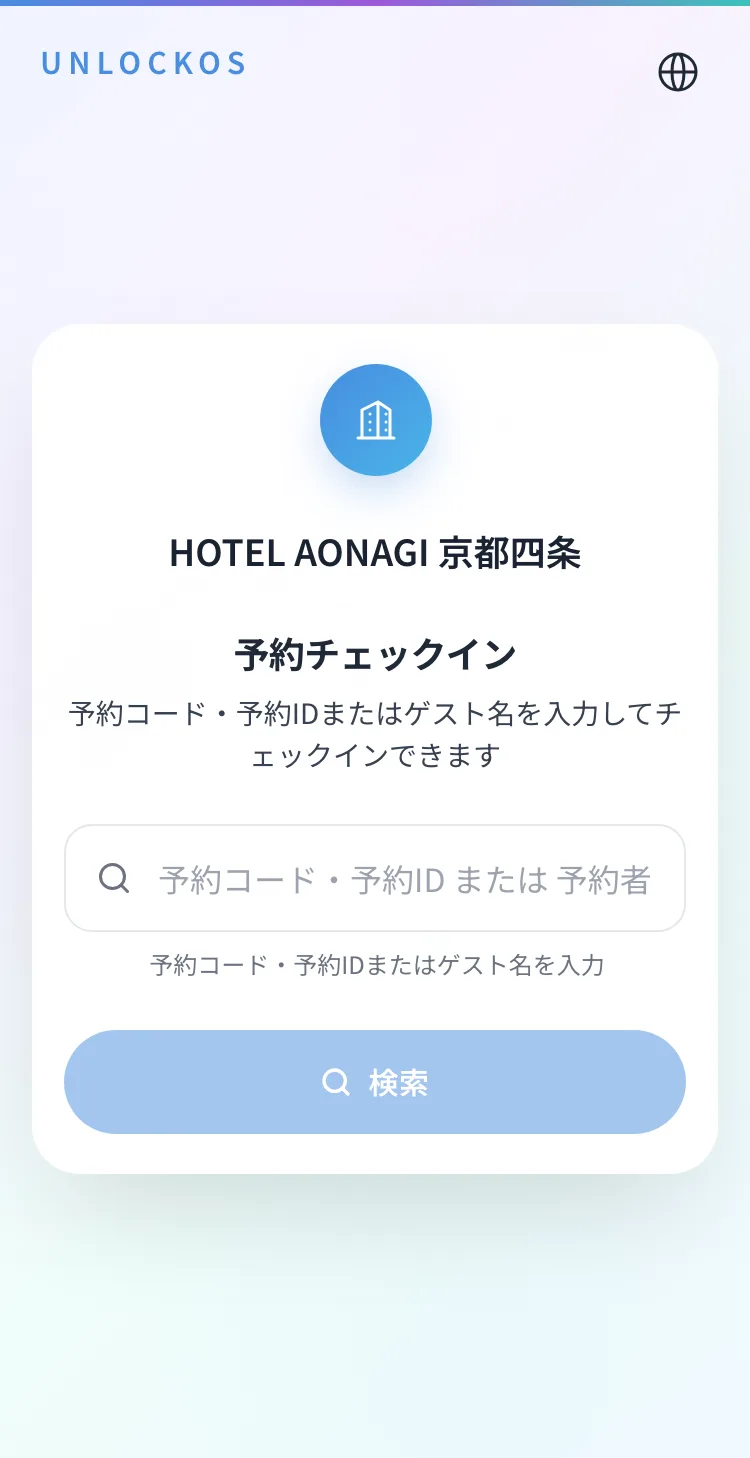
Enter the booking code or a name. Bookings from other sites are found too.
- Walk-ins
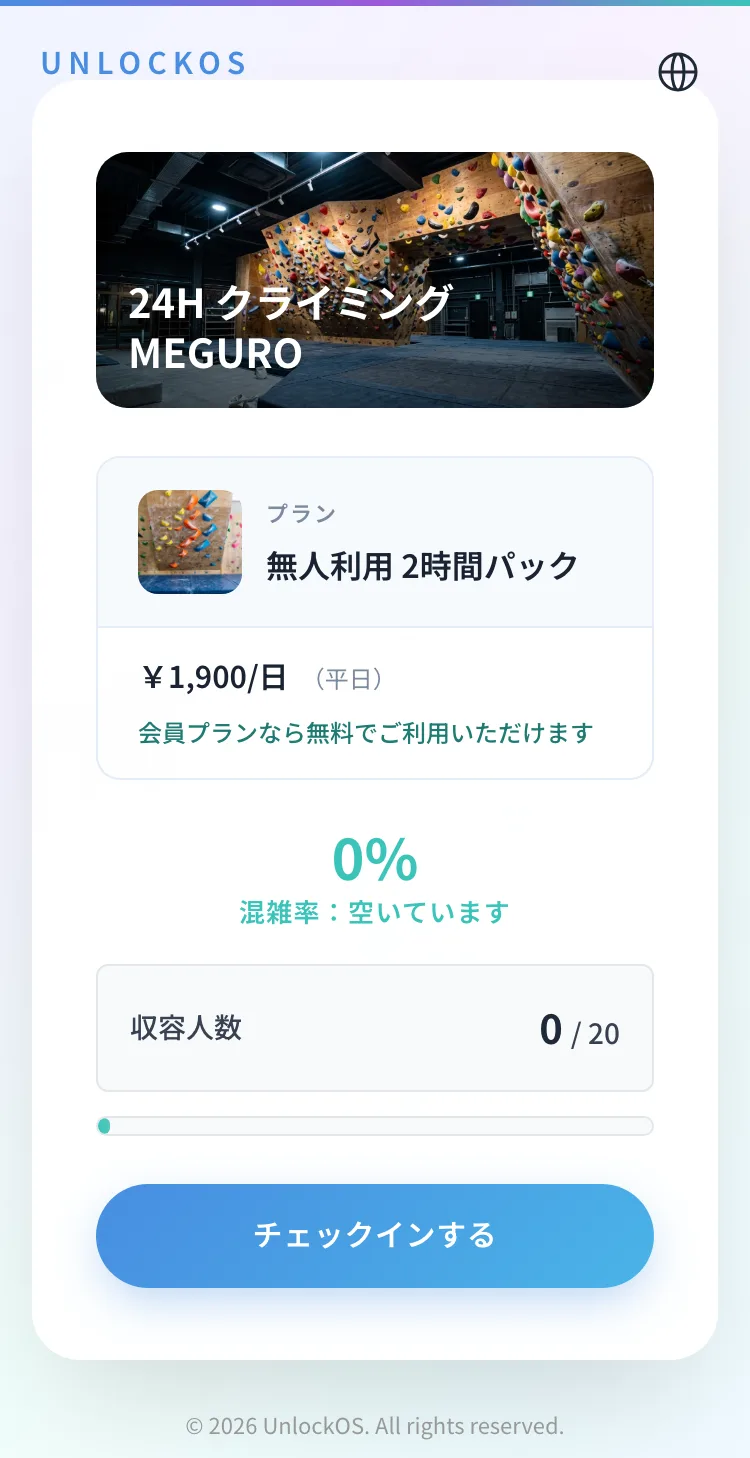
See the plan and how busy it is, then check in on the spot.
- From LINE
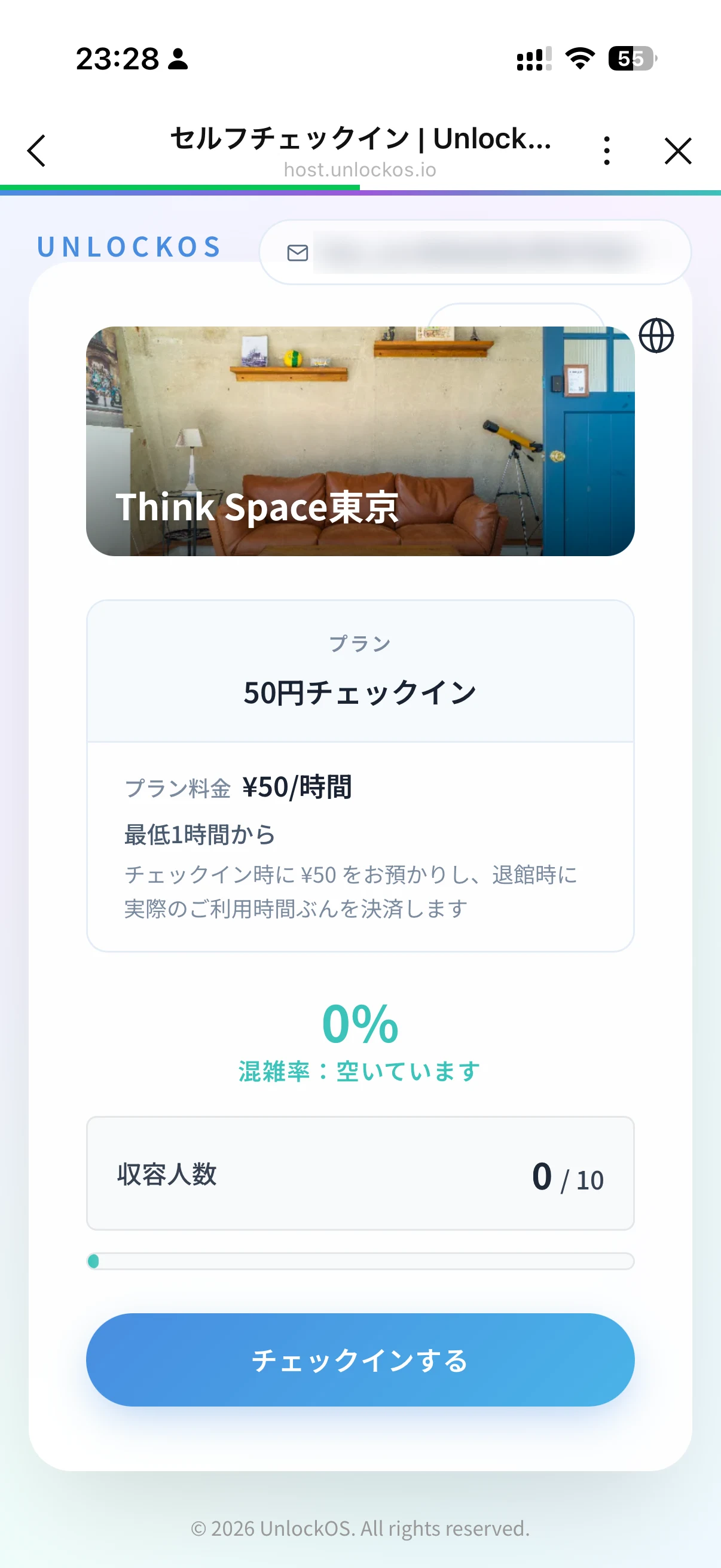
The same check-in opens inside LINE from the menu.
On a front-desk tablet too.
A tablet at the entrance runs the same check-in as the guest's phone.
- Unattended tablet
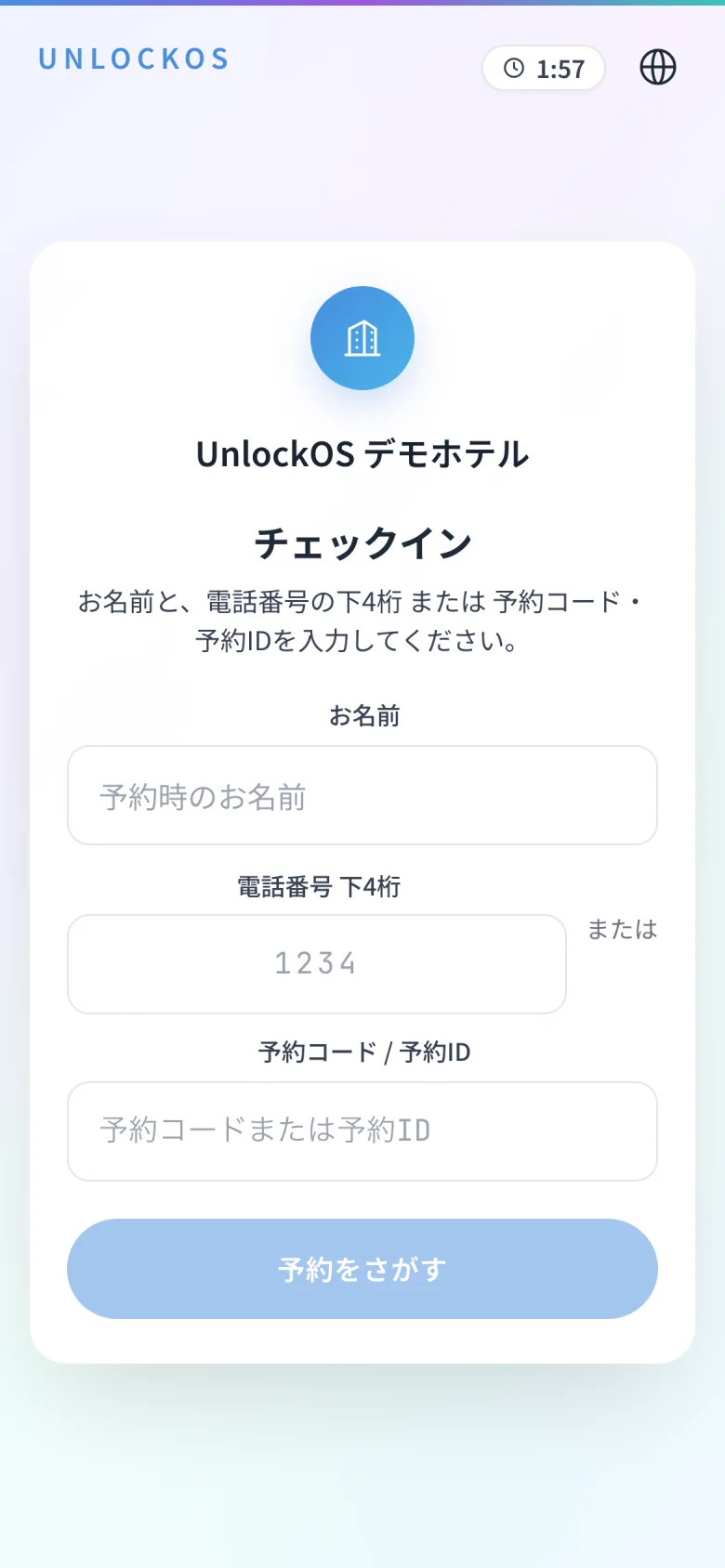
Leave it at the entrance; guests check themselves in.
- After check-in
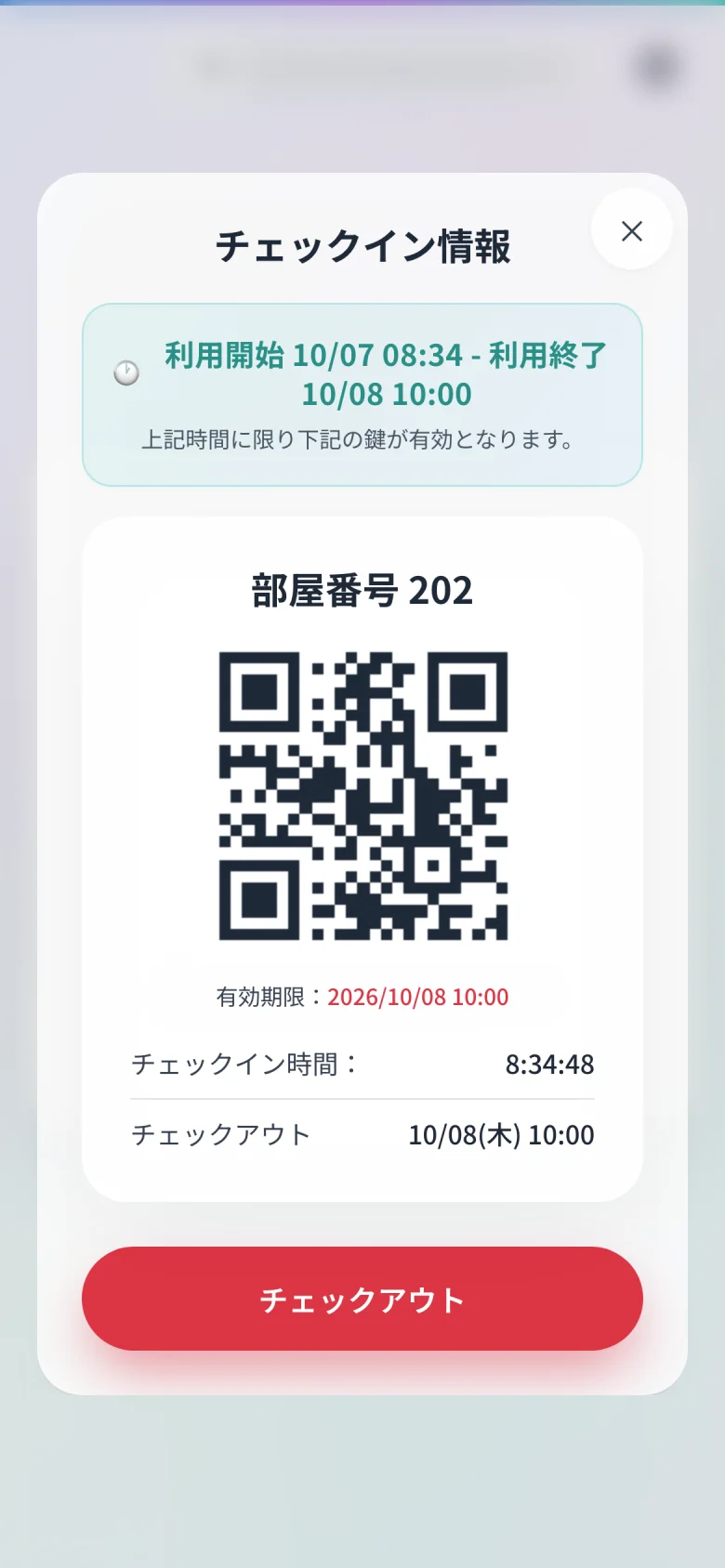
The room number and key, open whenever the guest needs them.
Screens are shown in Japanese.
Guests who booked somewhere else
Bookings pulled in from Neppan, Google Calendar or Airbnb check in through the same screen as bookings you took yourself. From the guest's side it makes no difference where they booked.
- Guests find their own booking by name or reference
- Ask different questions depending on where the booking came from
Tablet or phone, either way
The same flow completes on a tablet at the entrance or on the guest's own phone. You do not have to choose one at setup.
- Nothing to install
- Available in Japanese and English
Walk-ins
Someone who simply turns up can pick a plan, pay and get in. If they are a member, their allowance applies exactly as it would on a booking.
- Member allowances work the same on the day as in advance
- Close the desk automatically when you are full
Staffed reception
For sites with a staffed desk, there is a screen where your team issues the key. You can run staffed and unattended side by side.
- Extend a stay or change a room on the spot
- Hand over a key without keeping the guest waiting
Common questions
Do I have to replace my booking system?
No. Keep the booking sites and calendars you use today and let UnlockOS handle check-in and keys. You can also take bookings in UnlockOS if you prefer.
Does it work for overseas guests?
Yes. Check-in is available in Japanese and English, and you can ask different questions depending on nationality.
What about guests without a smartphone?
They can check in on a tablet at the entrance, or your staff can issue the key for them.
Is there a limit on check-ins?
No. You pay per check-in, with no setup fee and no monthly fee.

Ready to monetize your space?
Join property owners who automated their operations with UnlockOS.