Members, ticket books and one-off visits, on one price list.
No more matching the member list against the booking sheet.
Sound familiar?
- Members in a spreadsheet, bookings somewhere else
- Members booked at the public rate, refunded later
- People who cancelled can still walk in
With UnlockOS
- Members get member pricing automatically, booked or walk-in
- Monthly payments renew on their own. Late payers show on screen
- When a cancellation date arrives, the key stops working
Join, or drop in, on the phone.
Signing up for a membership and getting the right price for members both happen on the guest's phone.
- Pick a plan and join
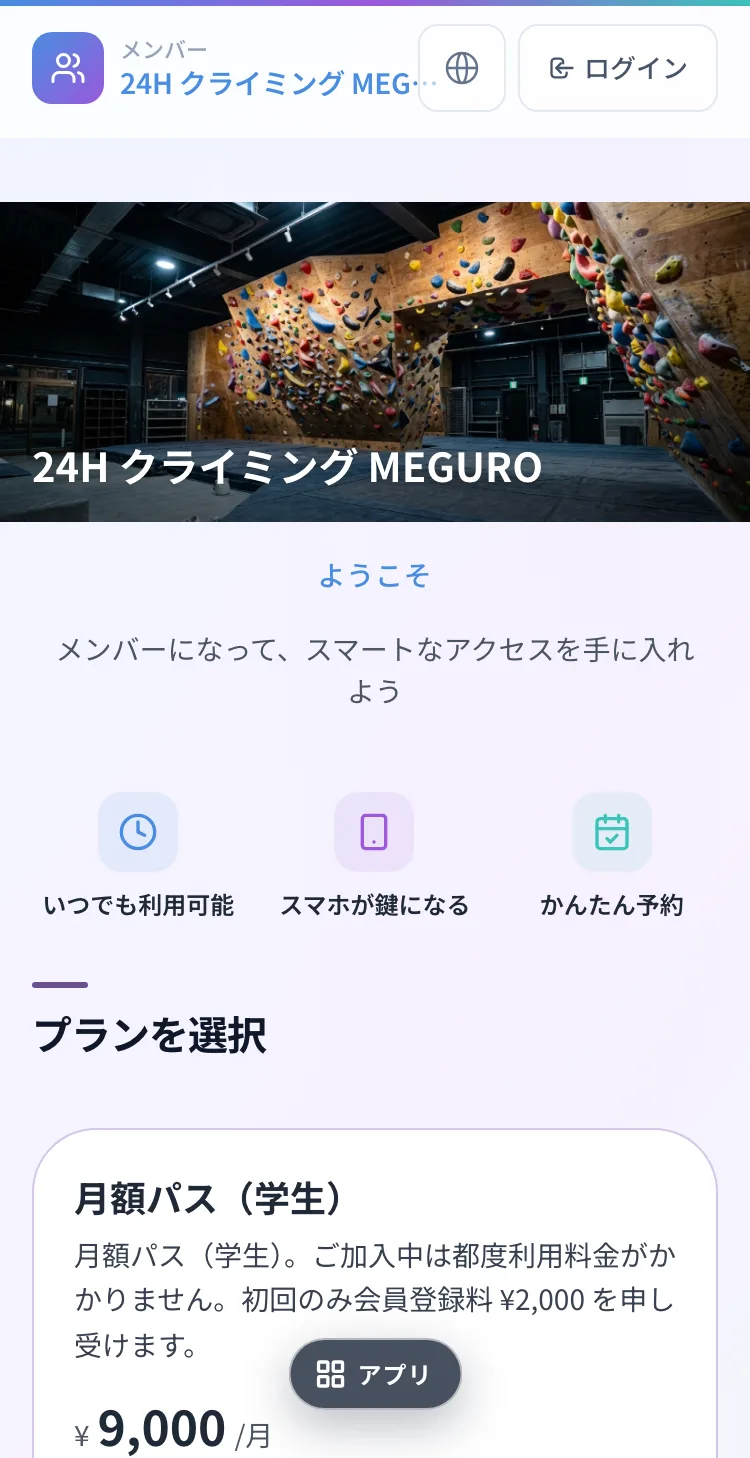
Monthly, student and other plans, applied for on the spot.
- Members pay member prices
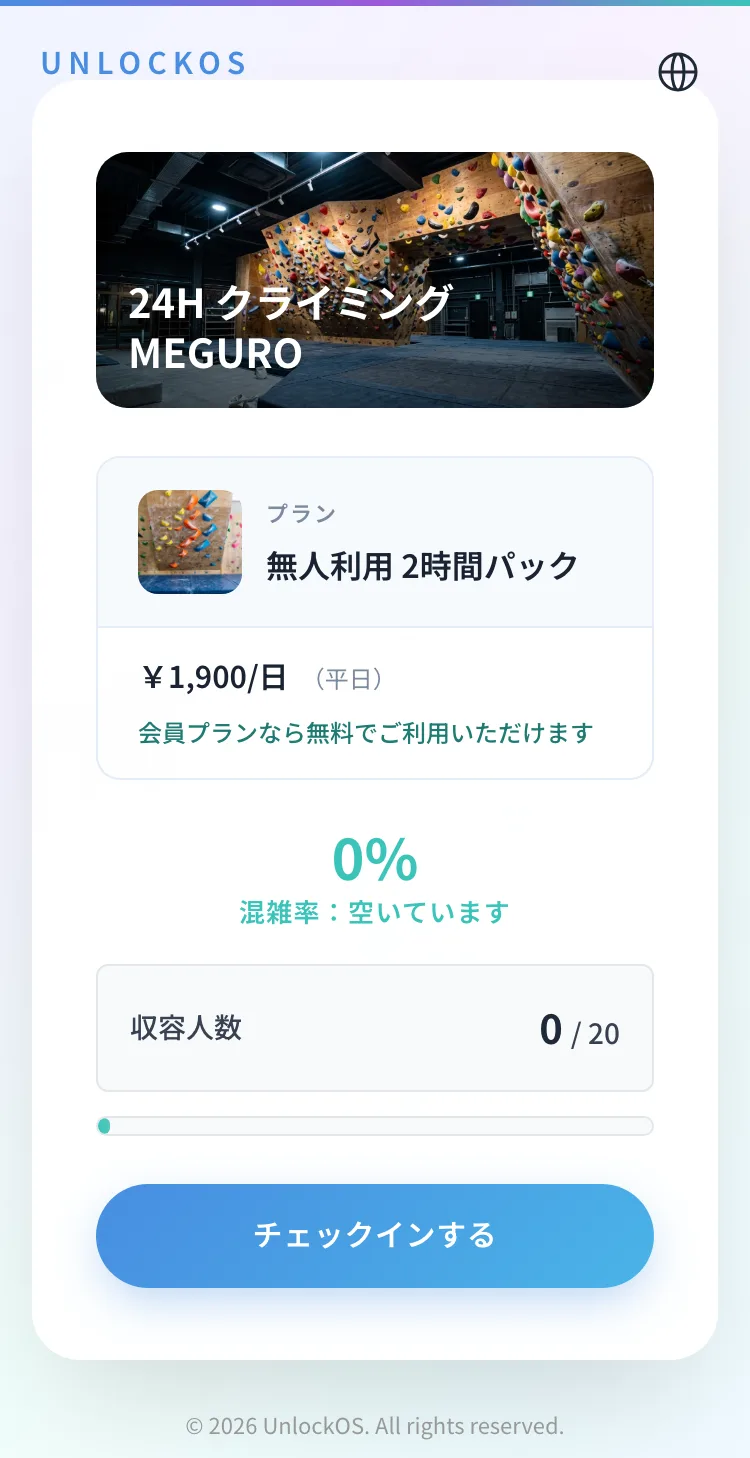
The same check-in shows member pricing, such as free entry for members.
- Members' page
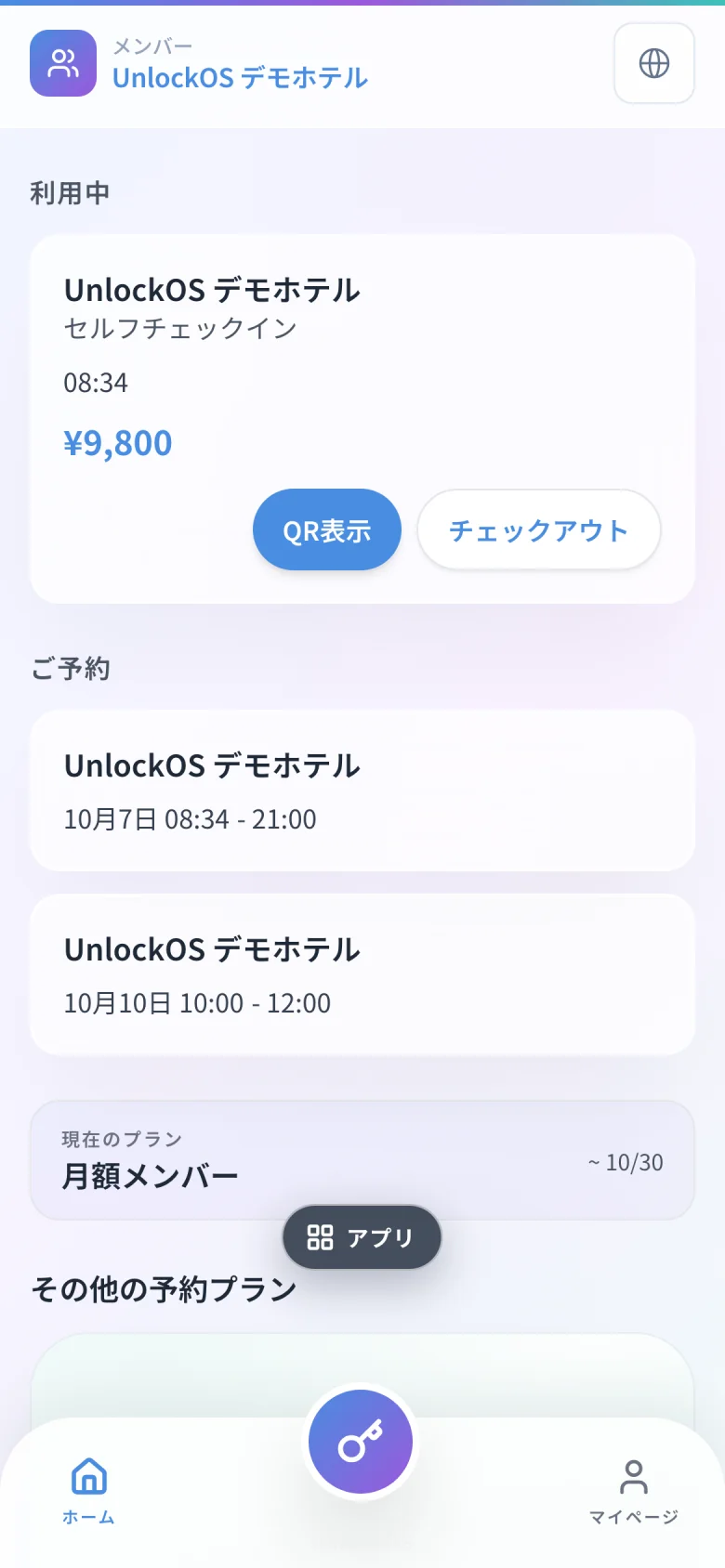
Members see their next booking, key and current plan themselves.
Screens are shown in Japanese.
Cancelled members keep access until the end date
On that date, the key stops working automatically.
- Can enter
- Cannot enter
A missed payment does not lock them out at once
On-site payment example. The grace period is set per plan.
- Can enter
- Grace period (can enter)
- Cannot enter
Build a membership plan
Set the monthly price, free visits, rooms and usage limits. Run as many plans as you like.
A page for members
Members see their next booking, their key and their payment history.
Common questions
Do I have to move off my current membership system?
No. You can run only bookings and keys on UnlockOS.
Where does the monthly money go?
Straight into your own Stripe account.
Can I serve members and non-members at once?
Yes. Same rooms, member price for members, standard price for everyone else.

Ready to monetize your space?
Join property owners who automated their operations with UnlockOS.